Three live email signatures, one challenge.
I built three tiny things this weekend. Then I noticed what they all are — and what they aren't yet.
The thing in front: a live badge for GDS.FM, my favorite Zürich radio station. Open my email, the badge shows what's playing right now. \o/ marks the spot.
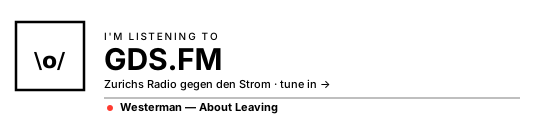
The tech is unremarkable. A Cloudflare Worker proxies the station's now-playing API, bakes the current track into an SVG, serves it as an image. Cache 25 seconds. ~100 lines of code.
What the build is
A signature used to be a static artifact. Name, role, link, done. Written once, stale for two years.
This one is generative. Every time someone opens the email, an interface gets assembled for that moment, from live context. Same <img> tag email clients have rendered since 1998. Different shape underneath.
To prove the pattern holds across sources, I added two more.
Three sources, same shape
-
01A radio station's now-playing trackBuilt
The original. Airtime API → Worker → SVG. The example above.
-
02Top of Hacker NewsBuilt
Same Worker, second route. RSS feed instead of Airtime. ~30 extra lines.
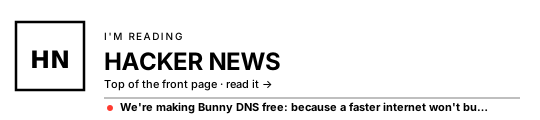
Hacker News is the demo source. The interesting move is to point this at your team's internal context — the Confluence updates your colleagues already wrote, the GitHub releases your team already shipped. Below: where the URL lives across business platforms.
| Platform | RSS / feed endpoint |
|---|---|
| Confluence Cloud (per space) | /wiki/spaces/{KEY}/blog.rss |
| SharePoint News | /_layouts/15/listfeed.aspx?List={GUID} |
| GitHub releases | github.com/{org}/{repo}/releases.atom |
| Atlassian Statuspage | {page}.statuspage.io/history.rss |
| Notion (published page) | via super.so or notion-to-rss |
| Jira issues | jira issueviews search XML feed |
| Astro / Hugo / Ghost blog | /rss.xml |
Internal Confluence needs OAuth. Public sources need nothing. Either way: same Worker, same ~30 lines, different URL in one constant.
-
03Latest three World Cup resultsBuilt
Same Worker, third route. TheSportsDB free API. The 2026 World Cup is live as I write this — Switzerland plays Canada tonight.
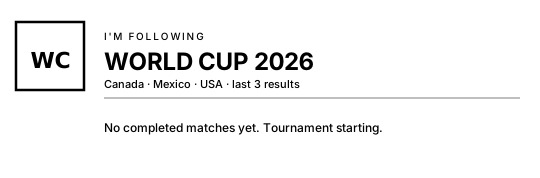
Three sources, three signatures, one Worker. The first two are recommendations to readers (listen to this, read this). The third is a quiet announcement — "I'm following the tournament too." Every recipient sees the same thing. That's the boring version.
The interesting version is the one I didn't build
Static is fine. Static is shipped. But the actually interesting move is when "the same thing for everyone" becomes "different for each recipient."
Imagine the World Cup badge again. But at send time, an agent reads who the email is going to, checks their country, picks the relevant context. "Hopp Schwiiz" with last night's score for a Swiss colleague. "Forza Italia" for a partner in Milan. A neutral "enjoy the tournament" otherwise. Same email, different signature, per person.
That's a 2–3 day build in an M365 tenant. The components are known.
OnMessageSend event handler. Tenant-deployable via M365 Admin Center./users/{email}/profile); public lookup for external.One architectural constraint to know first: Outlook's signature is a client-side setting. You can't dynamically rewrite the signature field per recipient from inside Outlook's built-in feature. Either an Outlook Web Add-in modifies the email body at send time (transparent to the sender), or a server-side rule rewrites on the way out (cleaner for compliance, less visible). For something this user-facing, the add-in path is right.
M365 and Copilot consultants — your weekend.
I built the boring version. Three signatures, same data for everyone, ~250 lines of Worker code. It works. Ship it. Move on.
The version I want to see is the per-recipient one. World Cup is the demo — pick any context source you like. The badge changes based on who's reading.
The components are listed above. The architecture writeup is on this page. The data sources are public. The remaining work is the part where you actually know more than I do: deploying an add-in in a tenant, wiring Copilot Studio or an Azure Function, and making the consent and audit story coherent.
If you ship a working tenant deployment this week, tag me. The first one I see working gets a writeup on bridge-work.ai/lab.
I am genuinely curious which of you ships first. And I am genuinely curious whose consent and audit pattern is the most honest.
Of course this isn't really about football
The tournament is a vivid example because it is happening this month. The pattern has nothing to do with sport.
Sent to a regulatory authority instead of a partner, the same dynamic block can append the relevant compliance reference per jurisdiction. Sent to a customer instead of a colleague, it can surface the case study that matches their industry. In a multilingual organisation, it can greet in the recipient's working language with their region's latest internal update. Sent by sales, it can carry the most recent piece of evidence relevant to the recipient's stage in the pipeline. Sent by a customer success lead, it can show the latest help-centre article in the right language.
These aren't decorations. They're the difference between a signature that says "I exist" and one that says "I read what you're about to read."
The moment context flows through send-time orchestration, the questions stop being UX questions. Consent. Audit. Fallback. Override. Data residency. Who saw what, generated against which input. That's the actual governance surface of generative interfaces inside a regulated organisation — and what most demos quietly skip.
These aren't blockers. They are the product surface. They are also the reason I think the per-recipient signature is more than a toy. The toy version, the one I'd build for fun, is World Cup greetings. The version a regulated organisation can actually ship needs the consent flow named, the audit log retained, the failure mode rehearsed.
That's the part I think about for a living.
Pattern, restated
The same shape works for all three built versions, and for the one I didn't build:
<img> tag. Or, with a send-time add-in, an HTML block injected before send.The Lego brick is cheap. The interesting question across all four versions isn't "can we." It's where the new surface meets old governance. That is the seam.
That's the part I think about for a living. But the toys work. And toys are how I find the seams.
The radio plays. Hacker News updates. The World Cup ships goals. \o/
Try it
The whole thing is on GitHub. One Worker file, three demo routes, ~250 lines. Fork it, point the source URLs at anything. Or — if you're a Copilot consultant — start with the M365 architecture above and let me see what you ship.